 Open Paper
Bring your Zotero library to Open Paper
Port over your Zotero library into Open Paper for seamless research management.
Many researchers rely on Zotero to manage their papers, annotations, and notes. To make your transition to Open Paper as smooth as possible, our Zotero integration lets you import your data with minimal effort, so you don't have to start from scratch - while benefitting from features unique to Open Paper.
How It Works
Here are the steps to integrate your data from Zotero into Open Paper. Currently, we only support importing the following paper types: Journal Article, Conference Paper, and Preprint. We intentionally skipped Web Page and other types because these aren't supported within Open Paper (yet).
-
Log in to your Zotero account on the web Go to zotero.org and sign into your account.
-
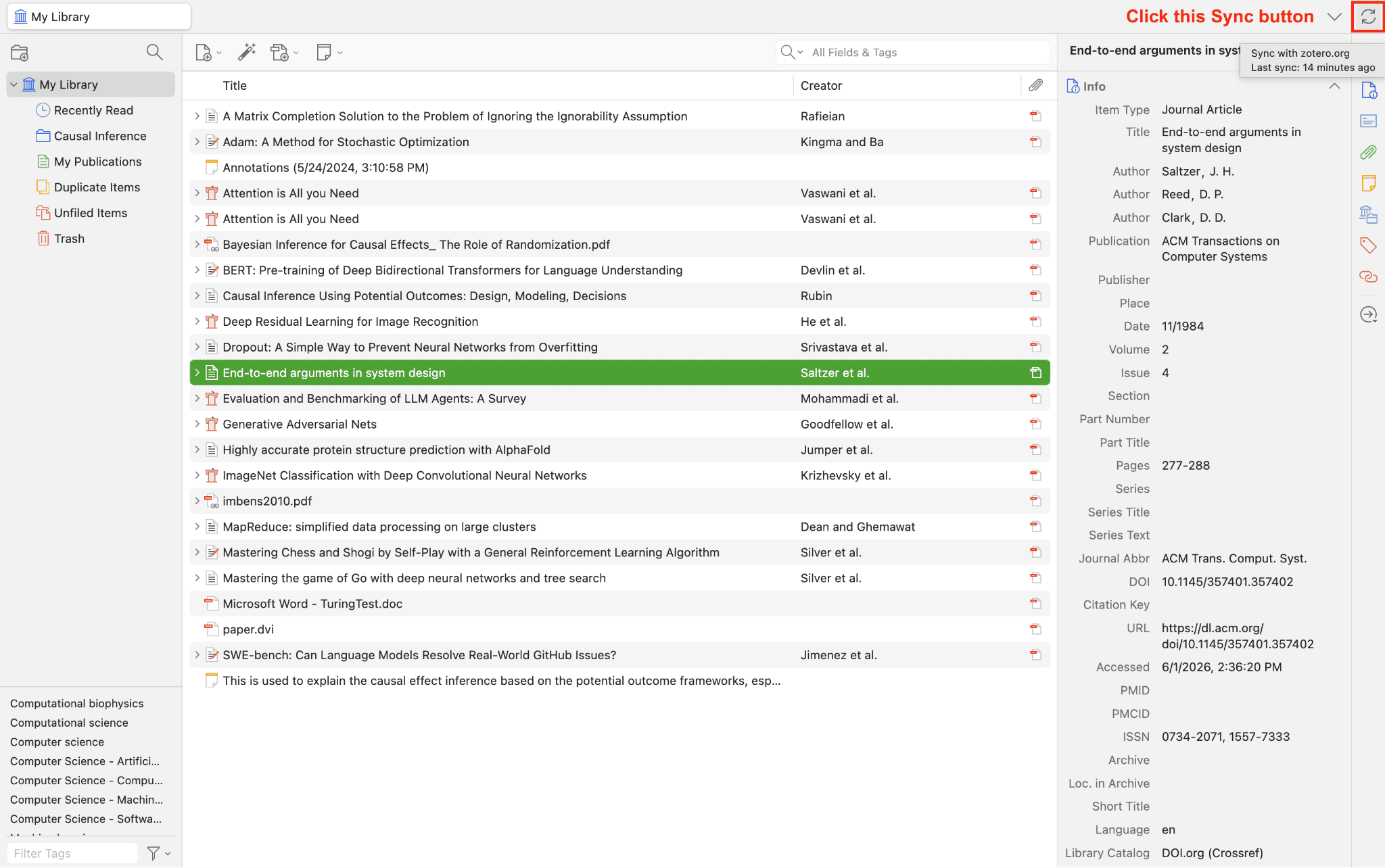
Sync with your Zotero desktop app Open the Zotero desktop app and click the sync button (the circular arrow) in the toolbar to make sure your library is up to date.
-
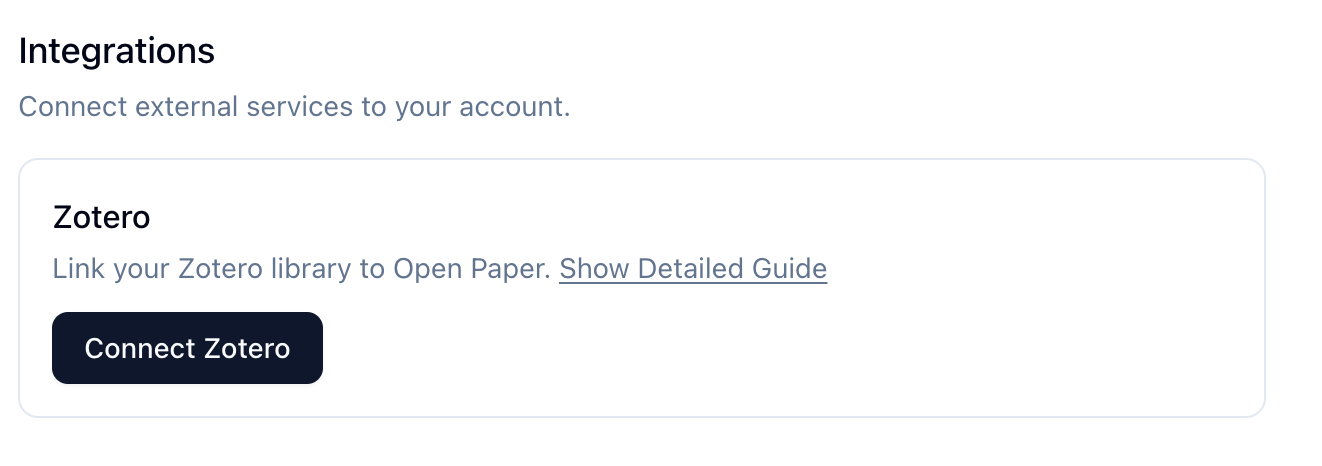
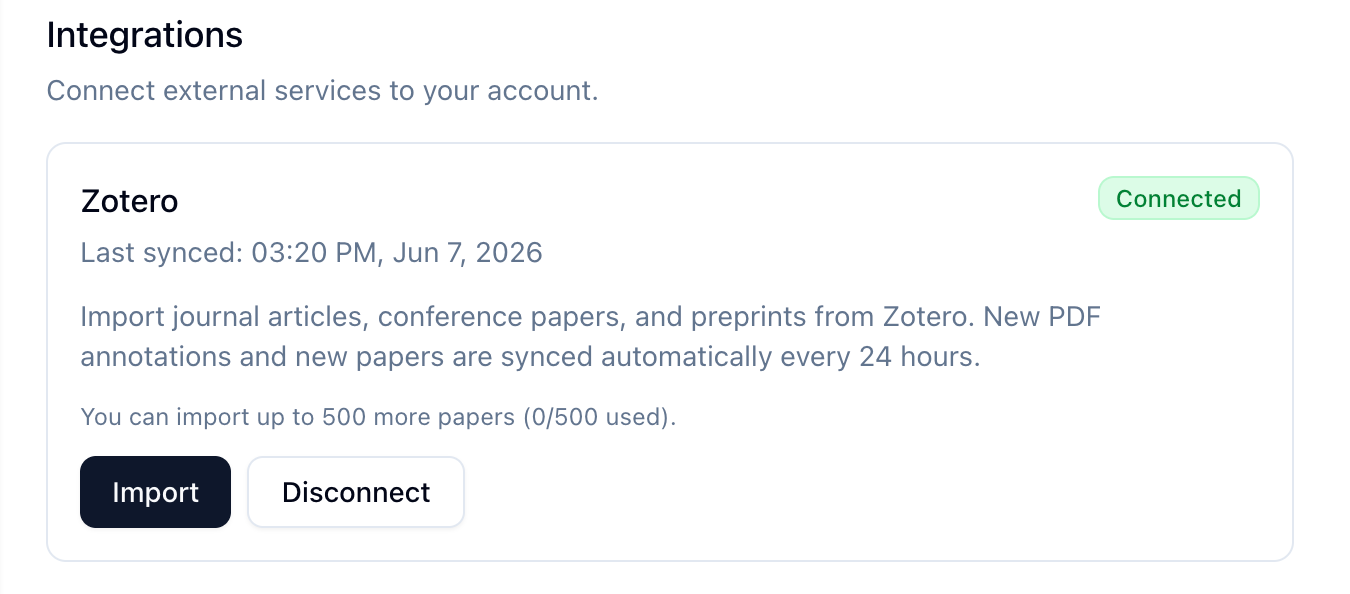
Click "Connect Zotero" in the Settings page You'll be redirected to Zotero to authorize Open Paper, then brought back to this page and can start importing your papers.
Key Features
Select Your Papers from Zotero
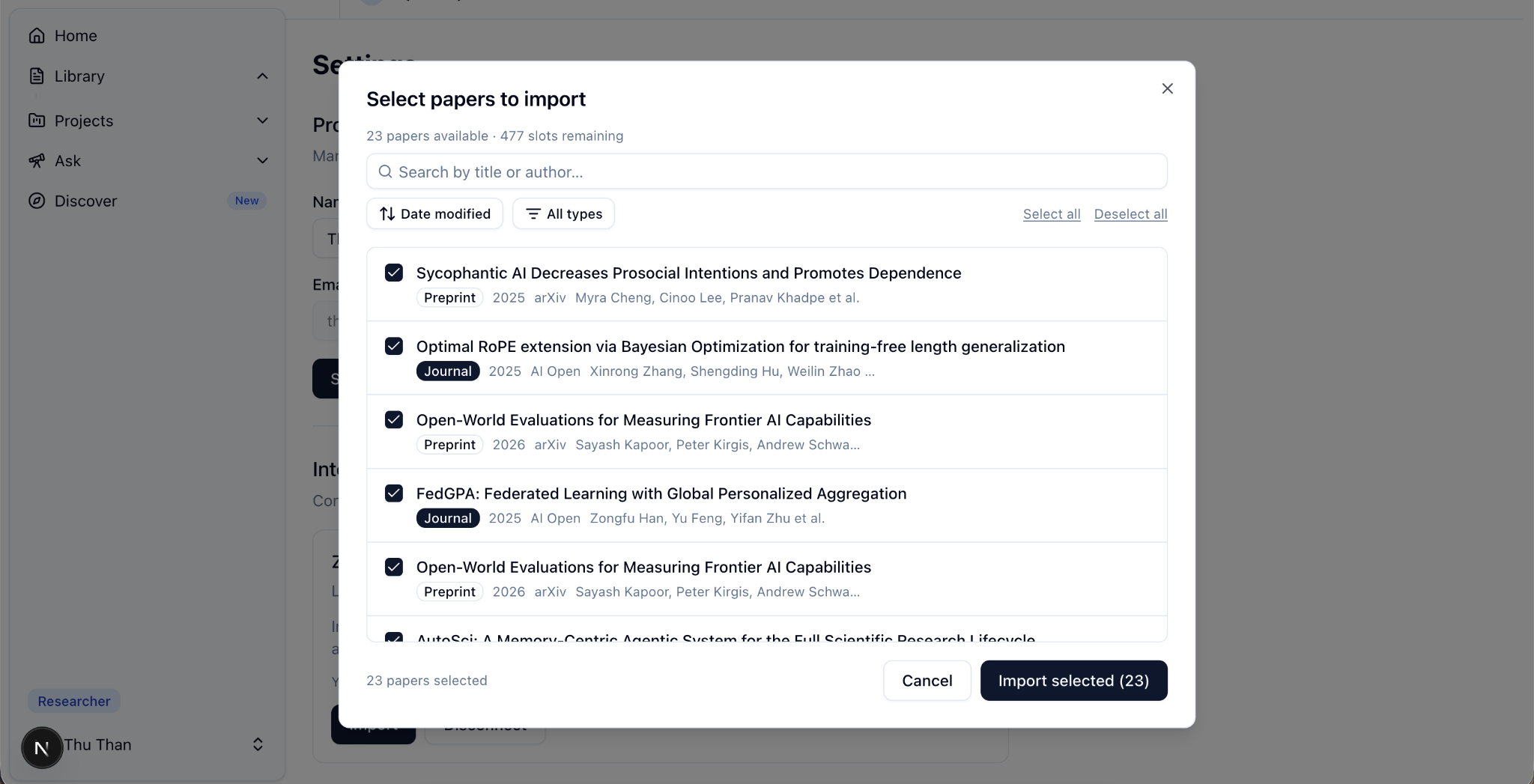
Once you click the Import button in the Integration card, a modal will appear letting you select the papers you'd like to import from Zotero into Open Paper. Keep in mind that your plan determines how many papers you can import at once.
Automated Sync (Researcher only)
If you're on the Researcher plan, Open Paper will automatically pull in new papers from Zotero and update annotations on existing ones every 24 hours, starting from when you first imported. On the Basic Plan, this process isn't automatic — you'll need to click the Sync button whenever you want your annotations updated, and Import when you want to bring in new papers.
Under the Hood
If you're curious about what's going on under the hood, here is a key technical breakdown of how we implemented this feature.
 Figure 1. The data flow of Zotero integration.
(1) User connects their Zotero account (we use OAuth 1.0 supported by Zotero), (2) backend calls the Zotero API to pull papers and annotations, (3) convert Zotero's JSON format into Open Paper's platform schema, (4) save it to the database, (5) frontend renders to the user.
Figure 1. The data flow of Zotero integration.
(1) User connects their Zotero account (we use OAuth 1.0 supported by Zotero), (2) backend calls the Zotero API to pull papers and annotations, (3) convert Zotero's JSON format into Open Paper's platform schema, (4) save it to the database, (5) frontend renders to the user.
Annotation Mapping
The trickiest part of importing from Zotero is keeping every annotation in exactly the right spot in the PDF (see the two screenshots below). Zotero and Open Paper describe positions differently, so for each annotation we:
- Filter by type
- Extract its text and comment
- Resolve the page number
- Find where that text sits in the raw PDF
- Convert its position into Open Paper's scaled coordinates
- Create the highlight (plus a linked annotation if there's a comment)
A few decisions are worth calling out. We resolve pages by the PDF's page index rather than its printed page label, since the printed journal page often doesn't line up with the actual PDF page. Colors are snapped to Open Paper's palette — yellow, green, blue, pink, or purple — rather than carried over exactly. And we intentionally skip ink annotations, which don't have a clean equivalent in Open Paper yet.
Background Sync & Auto-Import
Open Paper runs a 24-hour background loop (Celery Beat → internal webhook) that, for Researcher-plan users with a connected Zotero account:
- Syncs new highlights on papers already imported (append-only annotation sync)
- Auto-imports new library items added to Zotero after the user's first successful manual import
Basic-plan users get manual sync only via the Settings UI — no automatic loop, no auto-import.
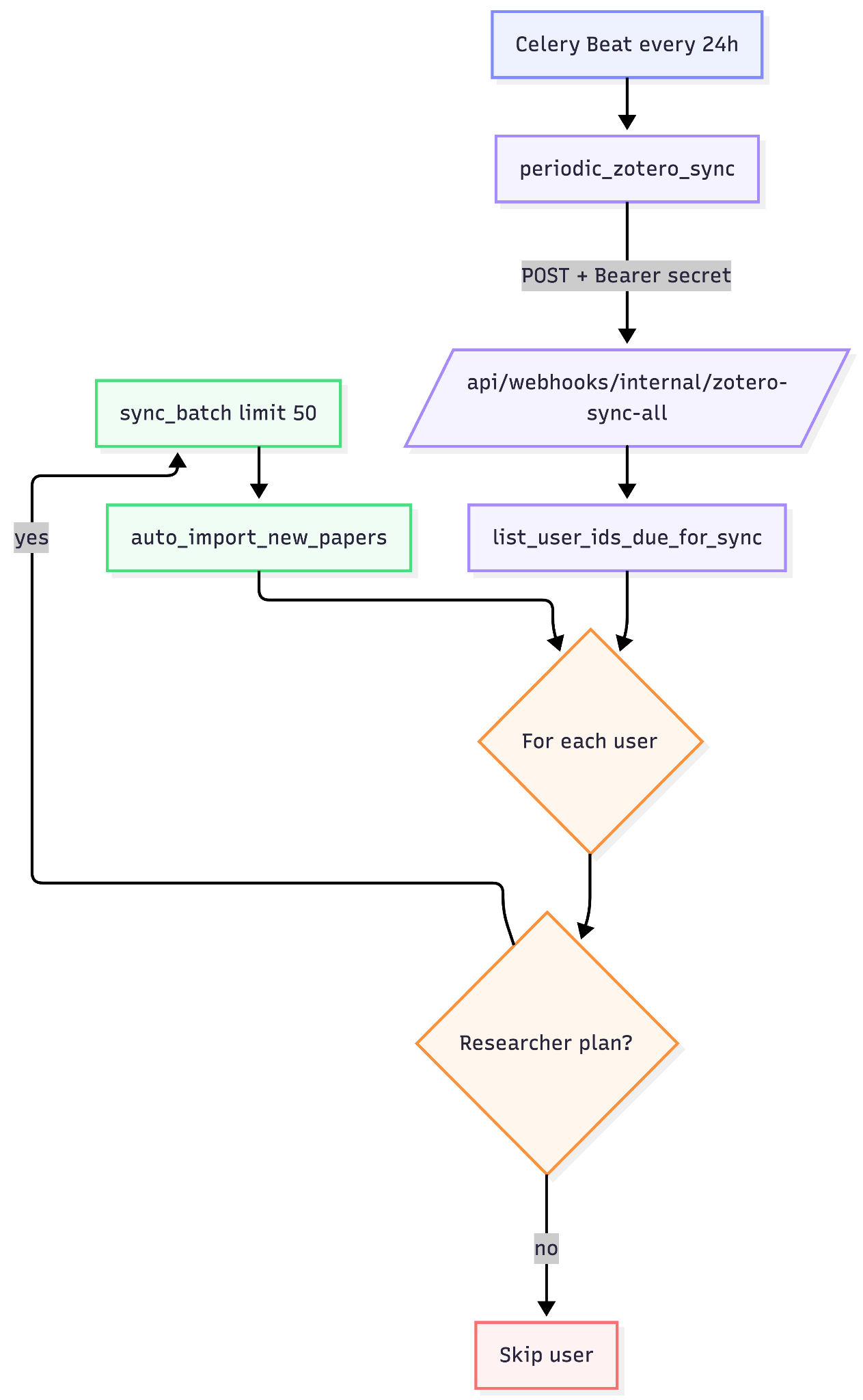 Figure 2. Auto-sync pipeline.
If you're on the paid plan, we automatically keep your Zotero library in sync with Open Paper. Every 24 hours, we check for new papers and annotations in your Zotero account and pull them into Open Paper. This way, you can keep using Zotero as your primary reference manager while benefiting from Open Paper's AI-powered features without worrying about manual imports.
Figure 2. Auto-sync pipeline.
If you're on the paid plan, we automatically keep your Zotero library in sync with Open Paper. Every 24 hours, we check for new papers and annotations in your Zotero account and pull them into Open Paper. This way, you can keep using Zotero as your primary reference manager while benefiting from Open Paper's AI-powered features without worrying about manual imports.
Why This Matters
Good research is built on work you can revisit, verify, and build on — and that starts with not losing your trail. Your library, your highlights, and the notes you left in the margins are the record of how you got to an idea. By bringing all of that into Open Paper faithfully — annotations landing exactly where you left them, down to the page and the highlighted phrase — we make sure that record carries over intact, rather than asking you to rebuild it from scratch.
That faithfulness is also why we've been open about what happens under the hood: which fields map to what, why we prefer the PDF page index, how often we sync. Reproducible, transparent research deserves tools that are themselves transparent about how they handle your work. Zotero has long been a home for that kind of openness, and we'd rather meet you there than lock you in. Use both, keep your data yours, and let Open Paper add a layer of understanding on top.